








Automate your business rules
without an IT ticket
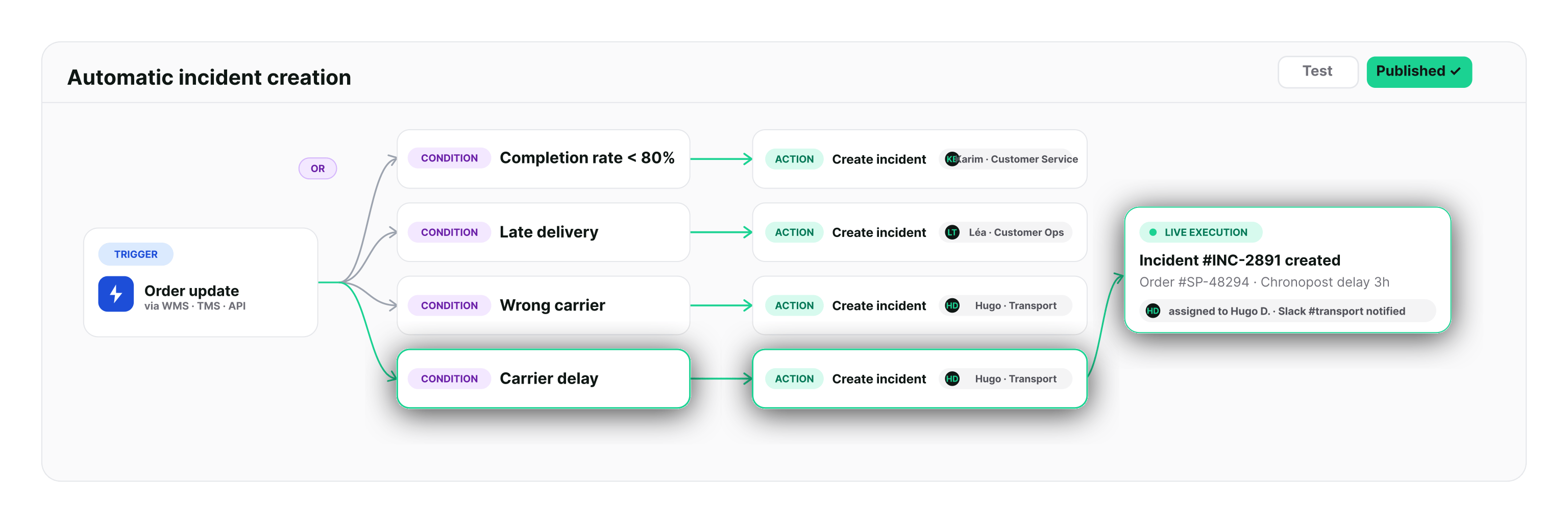
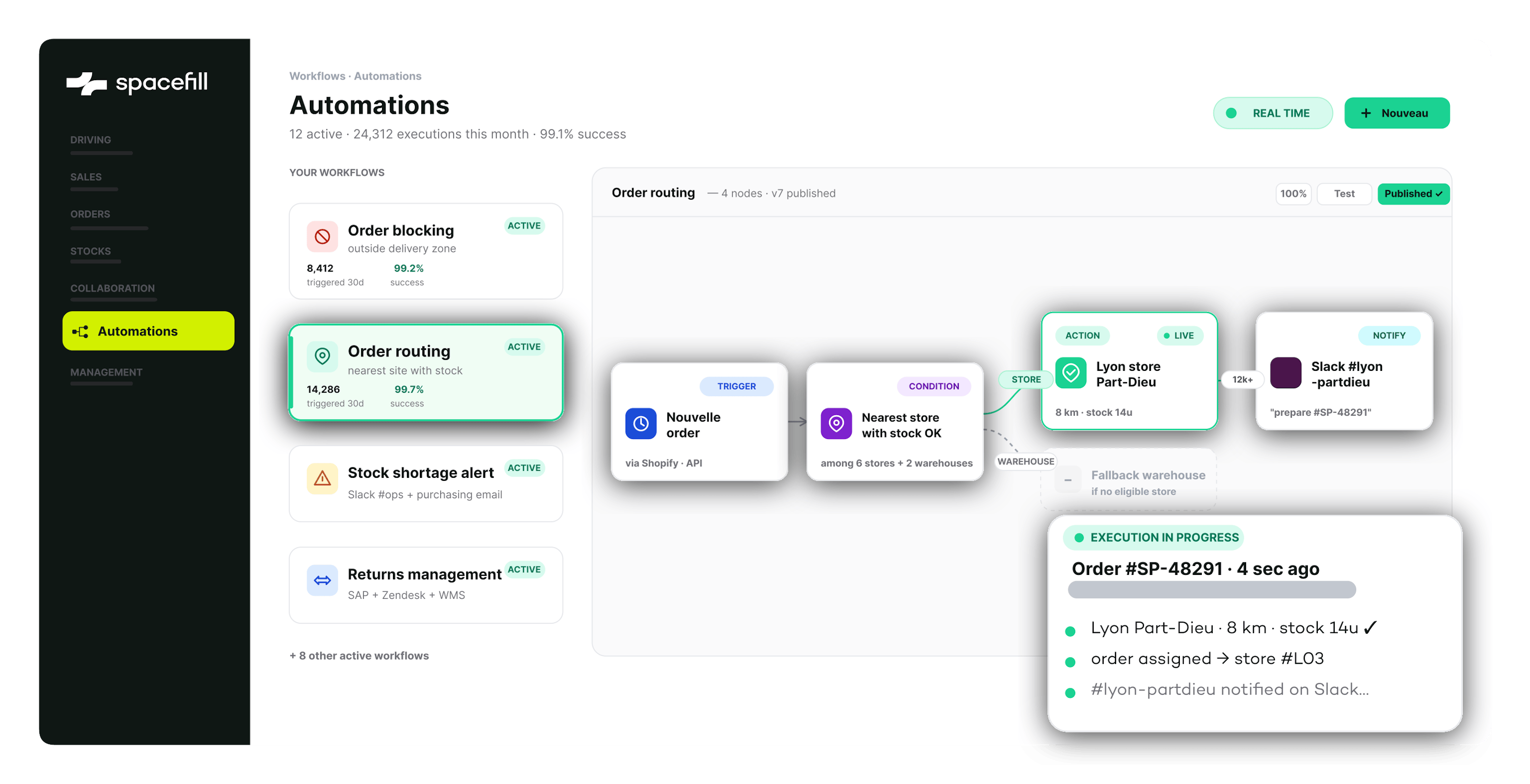
Conditional holds, proactive alerts, automatic reallocation, event propagation. Business teams configure their own workflows and the OMS executes them in real time across the entire chain: orders, stock, transport, returns.

manual work on order exception handling
picking errors eliminated by automated rules
WISMO tickets, thanks to proactive alerts before shipment
of contractual 3PL SLAs measured and escalated automatically
to create or change a business rule, no developer needed
Every business rule you haven't automated becomes a daily operational risk
Hold a suspicious order. Alert when an SLA starts slipping. Chase the 3PL that hasn't confirmed. Trigger internal recharging on shipment. These rules exist in people's heads. Until they're systematized, every exception costs you time, quality and lost sales.

Business rules live in people's heads, not in the system
The criteria for holding an order, prioritizing a pick, escalating an issue: it's all tribal knowledge. When the key person is away, the rule disappears. When they move teams, decisions lose consistency. There's no executable reference.
Exceptions are handled by hand, one at a time
A delivery address to fix, a duplicate to cancel, an order to release, a return to process with no expected receipt: every case becomes a file. Teams spend their days handling exceptions that could be resolved automatically 90% of the time.
Alerts arrive too late, when they arrive at all
A 3PL slipping on lead times, a stock threshold breached, a contractual SLA at risk: without a real-time monitoring engine, the information surfaces through a customer complaint or a weekly meeting. Too late to act.
Every new rule is an IT ticket, and weeks of waiting
A new channel, a new 3PL, a new customer type: every time, it means development, testing and acceptance. Operations are held hostage by development capacity. Business rules can't keep pace with the business.
Five real cases. One engine.
Situations supply chain, e-commerce and customer service teams handle every day.

Incomplete address, 3PL rejects it
An order with an incomplete address goes to the WMS. The 3PL rejects it. Support hears about it from the customer two days later.

"Incomplete address" rule
The rule holds the order before it reaches the WMS. A support alert fires. The customer is automatically chased to complete the address.
Delay discovered at the penalty
A 3PL delay on a key account is detected when the contractual penalty lands, invoice attached.
Automatic SLA escalation at 80% / 95%
The contractual SLA is measured continuously. At 80% of the lead time elapsed, a Slack alert goes to the 3PL manager. Automatic escalation to the supply chain director at 95%.
Fraud checked by hand
E-commerce teams manually review at-risk orders (fraud, inconsistent pricing, duplicates). Some slip through.
Automatic fraud scoring
Scoring rules automatically hold at-risk orders, notify the fraud team, and release them as soon as they're validated.
The operational efficiency automation delivers
Results measured across Spacefill deployments in production in 2025-2026.
manual work on order processing
picking errors, thanks to control rules
of contractual 3PL SLAs measured automatically
of exceptions resolved without human intervention
to configure a business rule, no developer needed
What you can automate, natively
Trigger events
• Order received, modified, cancelled, held
• Stock movement, threshold breach, stockout
• Picking released, started, completed, WMS shortage
• Shipment confirmed, carrier incident, delivered
• Return requested, received with or without expected receipt, inspected
• SLA threshold reached (80%, 95%), breached
• External event incoming webhook, EDI, scheduled
Criteria you can evaluate
• On the order channel, country, amount, payment, priority
• On stock level, status (available, reserved, held), site
• On transport carrier, service, promised lead time
• On the 3PL site, contractual SLA, capacity, incident rate
• On the customer segment, tenure, risk, framework agreement
• Operators AND / OR / NOT, branching, ranges
• Time-based time window, cut-off, business day
Actions you can execute
• Order hold, release, cancel, change address, reallocate
• Picking release, prioritize, hold, split
• Stock reserve, exclude from a channel, apply quota
• Transport switch carrier, reschedule, return label
• Notifications Slack, Teams, email, webhook, SMS
• System propagation ERP (SAP, Sage, Oracle, Odoo), CRM, BI
• Sub-workflow trigger a secondary rule, escalate
What we hear most often
"Our business rules are too specific, they'll never fit a standard tool."
The engine is built for variety. Rules aren't fixed templates: AND/OR operators, threshold values, branching, sub-workflows. The cases you think are exotic are often already running at another customer.
Configuration support from Spacefill teams
"A rules engine is a black box. How do we audit it?"
Every execution is logged: rule triggered, data evaluated, decision, timestamp. The audit trail can be viewed by order, by rule or by period. Rules are versioned, editable live, with rollback available. You can also simulate a rule's behaviour directly in the app before deploying it.
Full traceability, aligned with IT and audit requirements
"We'll become dependent on a vendor for our business rules."
Standard rules are configurable by your business teams, with no Spacefill in the loop. No code, no ticket. Supply chain, e-commerce and customer service teams adjust them on their own. Our teams can step in on complex rules during implementation.
Business teams autonomous on 90% of routine adjustments
Frequently Asked Questions
A workflow engine automates complex business actions from events: when an order comes in, when stock drops below a threshold, when an SLA is at risk. The engine evaluates a configurable condition and triggers an automatic action: a hold, an alert, a reassignment, propagation to another system. Spacefill's rules engine covers every object on the platform: orders, stock, transport, returns, SLAs.
Yes. Common rules (order holds, SLA alerts, customer follow-ups, Slack propagation, address changes before shipment) are configured in the Spacefill interface, with no code. Supply chain, e-commerce and customer service teams become autonomous on operational adjustments. Complex multi-condition rules are set up with Spacefill teams at implementation, then editable afterwards.
Yes. A workflow can chain several conditions and actions: SLA at risk detected, alert to the 3PL manager, a 2-hour delay, then escalation to the supply chain director if unresolved. Escalations, conditional branching and multiple actions per event are all native.
Orders (hold, release, cancel, split, route, change address), stock (thresholds, channel exclusions, quotas, reservations), picking (order release, priorities), transport (carrier selection, rescheduling), returns (label, expected receipt, declared vs received discrepancy), contractual SLAs. Rules can also trigger actions in third-party systems via webhook, Slack, Teams, email or ERP.
Every execution is logged: rule triggered, data evaluated, decision made, timestamp. The audit trail can be viewed by order, by rule or by period. Business teams see exactly why an order was held, reassigned or escalated. Rules can be disabled or edited live, with versioning.
A BPM handles document and human processes. Zapier chains application actions without understanding logistics. Spacefill is a workflow engine built for supply chain: it knows the business objects (orders, SKUs, SLAs, 3PLs, transport), the WMS systems (50+ natively connected) and logistics lifecycles. Rules are pre-typed on those objects, not generic API chains.
Yes. Workflows can publish any lifecycle event to Slack, Microsoft Teams, an ERP (SAP, Sage X3, Oracle, Odoo), a support CRM (Zendesk, Gorgias), a BI tool or a data lake. Slack and Teams propagation channels are missing from most competing OMS platforms.
Yes. A workflow can propagate a shipment event to your ERP (SAP, Sage X3) with the associated internal recharging data: issuing BU, receiving BU, amount, channel. Useful for multi-ERP industrial groups consolidating logistics flows across several legal entities.
A standard rule (conditional hold, threshold alert, event propagation) takes a few minutes to configure in the interface. Complex multi-condition rules are reviewed with Spacefill teams at initial implementation, then editable independently by your business teams.
Stop handling your exceptions by hand